How to Set Up a Review System for Your Business in 10 Minutes (Step-by-Step)
If your current review strategy is:
“We ask sometimes and hope for the best…”
Then you do not have a system.
You have luck.
This guide will show you how to set up a simple, reliable review system that works every day without depending on memory or chance.
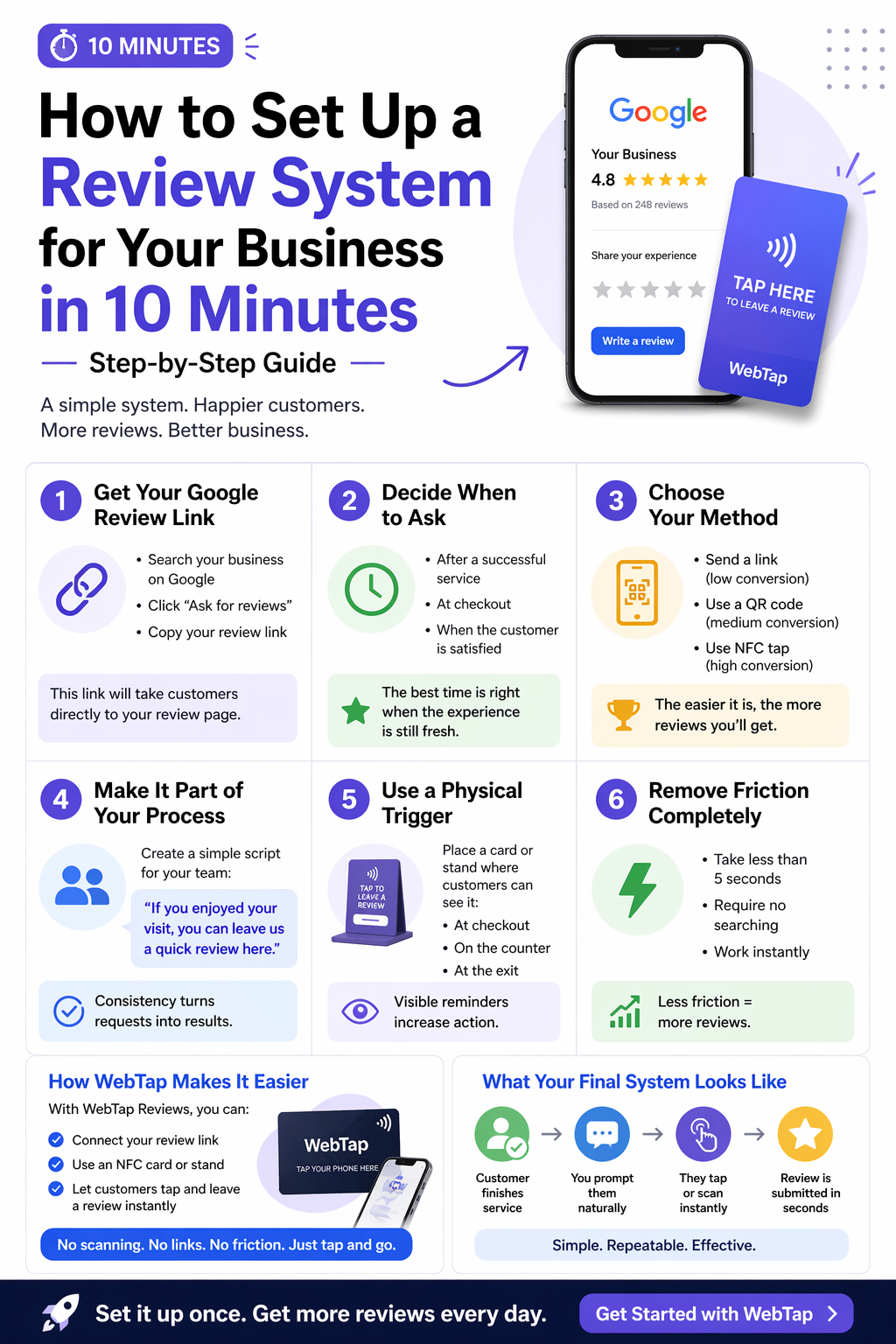
Step 1: Get Your Google Review Link
First, you need your direct Google review link.
This is the link that opens the review page instantly.
You can get it by:
- Searching your business on Google
- Clicking “Ask for reviews”
- Copying your review link
This will be the foundation of your system.
Step 2: Decide When to Ask
Timing is everything.
The best moment is:
- Right after a successful service
- At checkout
- When the customer is clearly satisfied
Do not wait until later.
If you miss the moment, you lose the review.
Step 3: Choose Your Method
You have three main ways to deliver your review link:
- Send a link (low conversion)
- Use a QR code (medium conversion)
- Use NFC tap (high conversion)
The goal is to reduce steps as much as possible.
The easier it is, the more customers will follow through.
Step 4: Make It Part of Your Process
This is where most businesses fail.
They do not make review requests consistent.
Create a simple script for your team:
“If you enjoyed your visit, you can leave us a quick review here.”
That’s it.
No pressure. No awkwardness.
Step 5: Use a Physical Trigger
People act more when they see something physical.
This could be:
- A small card
- A counter stand
- A visible prompt at checkout
Visual triggers increase action significantly compared to just asking.
Step 6: Remove Friction Completely
This is the most important step.
Your system should:
- Take less than 5 seconds to start
- Require no searching
- Work instantly
If there is effort, you lose conversions.
How WebTap Makes This Even Easier
With WebTap Reviews, you can skip most of the setup complexity.
You simply:
- Connect your review link
- Use an NFC card or stand
- Let customers tap and leave a review instantly
No scanning. No links. No friction.
Just tap and go.
What Your Final System Should Look Like
A good review system looks like this:
- Customer finishes service
- You prompt them naturally
- They tap or scan instantly
- Review is submitted in seconds
Simple. Repeatable. Effective.
Final Thoughts
You do not need more customers to grow your reviews.
You need a better system.
When your process is clear, fast, and consistent, reviews become predictable instead of random.
Set it up once, and let it work every day.
Get started with WebTap and build your review system today.